

Very Complicated Screen Capture
An overcomplicated capture card/webcam monitoring and recording tool.
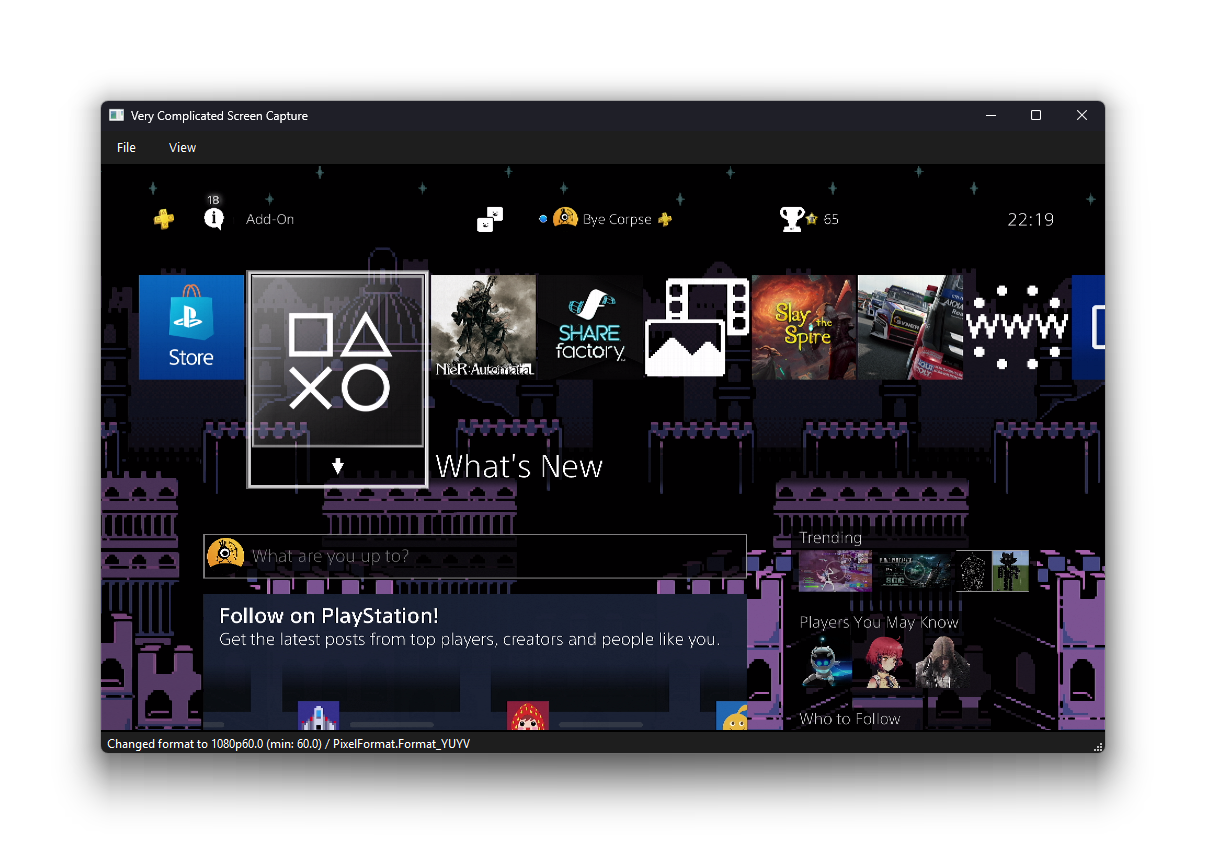
1.0.0a1Recently, I needed a thing to take a look at the video feed from my newly-purchased capture card. And this is the end result!
I don’t actually think anyone needs this but hey it somewhat works! I don’t have everything I want implemented yet.
WHAT WORKS:
- Viewing capture card output
- Copying screenshots to clipboard
PLANNED BUT NOT WORKING YET:
- Capturing to video files
- Saving screenshots to disk
- Settings persistence
I’d like to do something like Steam Background Recording wrt having a replay buffer that you can just record the last 30 seconds or something, but I may need to completely rework the program to do that. Still.
System requirements & dependencies
- Linux with Python >=3.10
- Windows 10 or newer with Python >=3.10
- !! Windows 10 will be dropped in Qt soonish, and when that happens the program may no longer work !!
- !! Python 3.10 does work on Windows 8. I don’t think Qt 6 does though. Why are you using Windows 8. Stop that. !!
Downloading
Currently, the only way to run VCSC is to run it from source or from PyPI.
On Linux, installation of the following packages system-wide is strongly recommended:
- PySide6
- Fedora:
python3-pyside6 - Ubuntu:
python3-qtpy - Arch Linux:
pyside6 - !! This will install Qt system-wide as well !!
- Fedora:
You should then install the vcsc package using pip, pipx, or similar. Please DO NOT USE PIP if your system
warns you about breaking system packages.
# Using pip
pip install vcsc

# Using pipx (reccommended if available)
pipx install vcsc --system-site-packages # <-- Allows it to integrate with your system's Qt styles btw
You should then be able to run it using the vcsc command or python3 -m vcsc. If you get something like below, you’re
winning!
PS C:\Users\Bye> vcsc
Very Complicated Screen Capture 1.0.0a1
(c) https://byespace.net
Provided under the zlib license.

Launching with arguments: ['C:\\Users\\Bye\\AppData\\Roaming\\Python\\Python314\\Scripts\\vcsc']

Using   PySide  6.11.1
        Qt      6.11.1
PySide6 path: C:\Users\Bye\AppData\Roaming\Python\Python314\site-packages\PySide6\__init__.py
I’m hoping to make it more usable on macOS and Windows at some point, and have it integrate with the system’s app list on Linux (but it’s haaaaaaard)